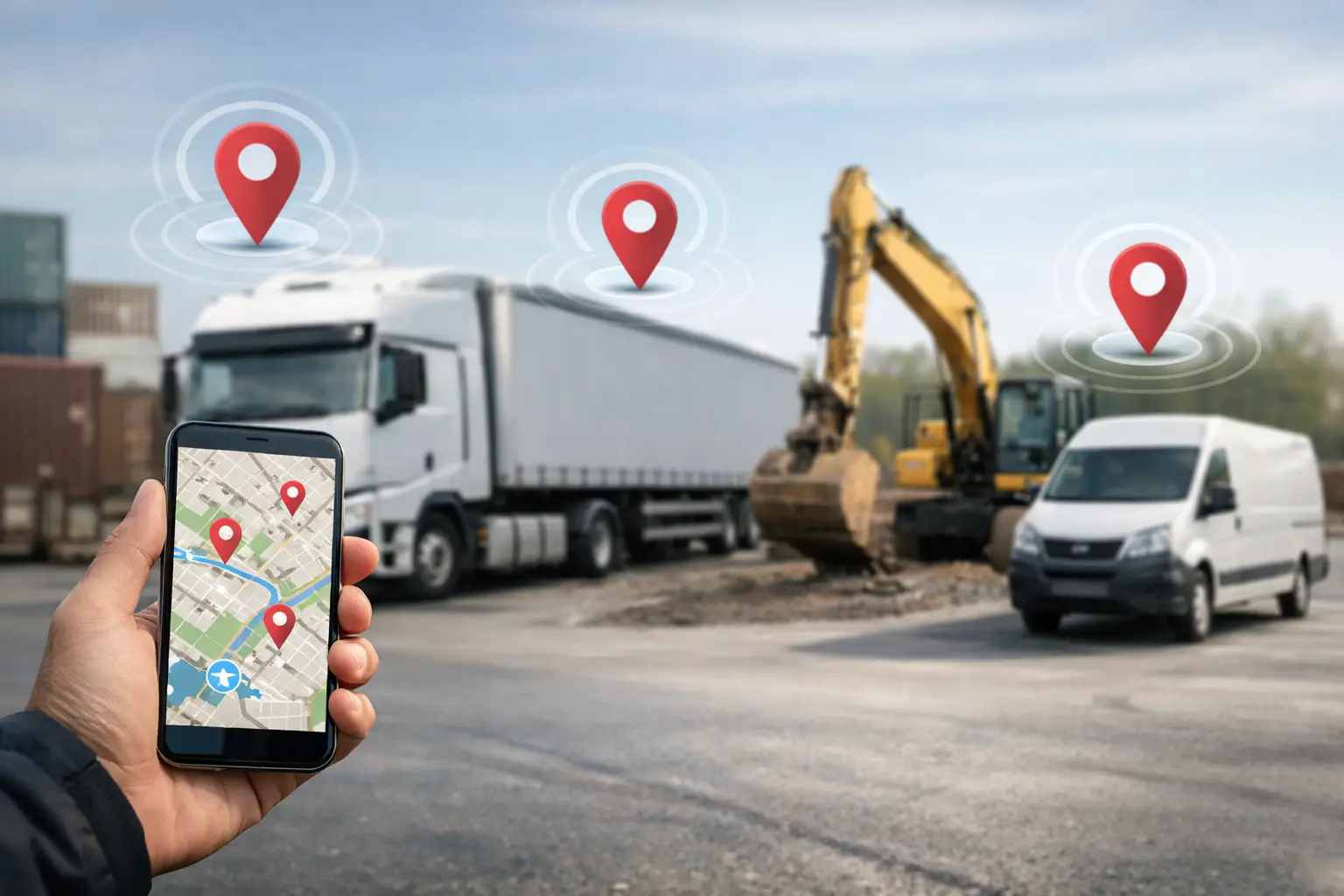
A truck shows up late, the skid steer is on the wrong job, and nobody is completely sure which crew has the laser level. That is how small problems turn into missed hours, extra rentals, and phone calls nobody has time for. GPS tracking of fleet, equipment and assets gives subcontractors a clearer picture of what is happening across jobsites without adding more paperwork.
For subs managing multiple crews, location data is not just about watching dots on a map. It is about controlling labor, protecting equipment, and making faster decisions during the workday. When your trucks, machines, and high-value assets are spread across several jobs, visibility matters. The right setup can save money quickly. The wrong setup can add another login, another monthly bill, and another tool your team avoids.
Why GPS tracking of fleet, equipment and assets matters
Most subcontractors do not lose money in one dramatic event. They lose it in small leaks. A foreman spends 20 minutes calling around to find a trailer. A crew waits for a machine that was left at yesterday's site. A truck idles for an hour while the office assumes it is working. A rented asset stays on site two extra days because nobody realized your own unit was available.
GPS tracking helps close those leaks.
For fleet vehicles, it shows where trucks are, how long they have been there, and how they moved during the day. That helps with dispatching, route planning, and job costing. For equipment, it helps prevent loss, reduce unauthorized use, and improve utilization. For smaller assets like generators, compressors, trench boxes, or specialty tools, it creates accountability when items move between jobs.
The payoff is usually operational before it is analytical. You are not buying a reporting system first. You are buying fewer surprises.
What subcontractors should actually track
Not everything needs a tracker. That is one of the fastest ways to overcomplicate the process.
Start with assets that create the biggest cost or the biggest disruption when they go missing. For most subcontractors, that means trucks, trailers, compact equipment, and rented or owned machines that regularly move between jobs. After that, look at items that are expensive to replace or hard to locate in the field.
A fencing contractor may care most about trucks, augers, and trailers. A concrete contractor may start with pumps, skid steers, and delivery support equipment. An electrical subcontractor may focus on vans, gang boxes, and material trailers. The best tracking strategy depends on what slows your crews down when it is unavailable.
There is also a difference between fleet, equipment, and assets, even if people lump them together. Fleet usually means road vehicles with regular daily movement. Equipment often means powered machines with high replacement value. Assets can mean almost anything portable and important. Each one may need a different type of device, battery life, update frequency, or alert setup.
Where GPS tracking delivers the fastest return
The first win is usually better scheduling. When dispatch knows which truck is closest, or whether a trailer already made it to the site, they stop guessing. Crews spend less time waiting, and the office spends less time chasing status updates.
The second win is theft deterrence and recovery. Construction equipment theft is expensive not only because of replacement cost, but because it stops production. If a machine disappears Friday night and you do not realize it until Monday morning, the job pays for that delay. A tracker will not prevent every theft, but it improves your chances of responding quickly.
The third win is utilization. Many subcontractors own more equipment than they think they do not use, or rent equipment they already own but cannot find. Location history and usage patterns can show whether a machine is working often enough to justify ownership, or whether it is sitting behind a laydown yard collecting payments.
The fourth win is accountability. When drivers know vehicle movement, idle time, and after-hours use are visible, behavior tends to improve. That does not mean turning your operation into a surveillance culture. It means reducing waste and setting clear expectations.
The trade-offs to think through
GPS tracking is useful, but it is not magic.
More data does not automatically mean better control. If your office already struggles with disconnected systems, adding another standalone platform can create more friction. You may know where the truck is, but still not know which job it is assigned to, who is clocked in, what equipment is on site, or whether the materials arrived.
There is also the question of accuracy versus simplicity. Some systems offer detailed telematics, engine diagnostics, maintenance data, geofences, motion alerts, and custom rules. That can be valuable for larger operations with dedicated admin support. For smaller subcontractors, it can be too much. If the system takes a week of setup and only one person knows how to use it, the field will ignore it and the office will stop checking it.
Battery-powered trackers can be easier to install on equipment and assets, but they may update less frequently or require battery maintenance. Hardwired trackers can provide better visibility for fleet vehicles, but they take more effort to install. Small Bluetooth-style tags can help with nearby asset finding, but they are not the same as true GPS coverage across jobsites.
The right choice depends on what you are trying to fix. If theft recovery is the priority, hidden trackers and motion alerts may matter most. If dispatching is the issue, real-time fleet visibility matters more. If utilization is the goal, historical movement and assignment data become more important.
How to make GPS tracking useful in the field
The best rollout is simple. Pick a small group of vehicles and equipment first. Define what success looks like before you install anything. That might be reducing lost equipment time, cutting rental overlap, improving dispatch response, or tightening after-hours control.
Then decide who needs to see what. Owners may want a high-level view across all jobs. Office staff may need current locations and exceptions. Foremen may only need to confirm that the right truck, trailer, or machine is heading to their site. Not every user needs every screen.
It also helps to set clear rules up front. Tell drivers and crews what is being tracked, why it is being tracked, and how the data will be used. Most teams accept tracking when it is tied to job efficiency, theft prevention, and fewer disputes. They push back when it feels vague or punitive.
This is also where a simple operations platform matters. GPS data is more useful when it lives alongside time, job progress, equipment logs, daily reports, and documentation. If your office has to jump between five systems to figure out who had what, where it went, and whether it was working, you still have the same problem with better maps. That is why subcontractors often get more value from software built around field operations instead of point solutions that solve one issue in isolation. A system like SimplySub makes more sense for many subs because the goal is not just tracking movement. The goal is knowing what is happening on the job without chasing paper, texts, and spreadsheets.
Common mistakes with GPS tracking of fleet, equipment and assets
One common mistake is tracking low-value items while ignoring major cost drivers. Another is buying enterprise-grade software when your team needs something they can use from a phone on day one.
A third mistake is failing to connect tracking to actual workflow. If nobody assigns equipment to jobs, checks exceptions, or acts on alerts, the technology becomes expensive background noise. The map may look impressive, but it will not change operations by itself.
There is also a tendency to use GPS tracking only after something goes wrong. It gets attention after a theft, a missed delivery, or a billing dispute. But the bigger value often comes from day-to-day control - cleaner scheduling, less downtime, and fewer avoidable calls between the field and office.
What good looks like
Good GPS tracking is quiet. Your trucks go where they are supposed to go. Your crew knows what equipment is coming. Your office can answer location questions without making six calls. You rent less because you can find what you own. You catch misuse earlier. You spend less time piecing together what happened yesterday.
That is the real standard. Not more dashboards. Not more data fields. Just better control with less effort.
For subcontractors, the best systems are the ones that fit the pace of the work. Easy to set up. Easy to check from the field. Useful to the office. Built around real jobs, real movement, and real accountability. If GPS tracking of fleet, equipment and assets helps your team move faster and waste less, it is doing its job. If it creates one more layer of admin, it is not.
The smartest move is usually not tracking everything. It is tracking the things that cost you the most when you lose sight of them. If you want to see how SimplySub supports day-to-day field operations, you can schedule a demo to walk through it with your team, or review pricing to see what makes sense for your crews.